Team page
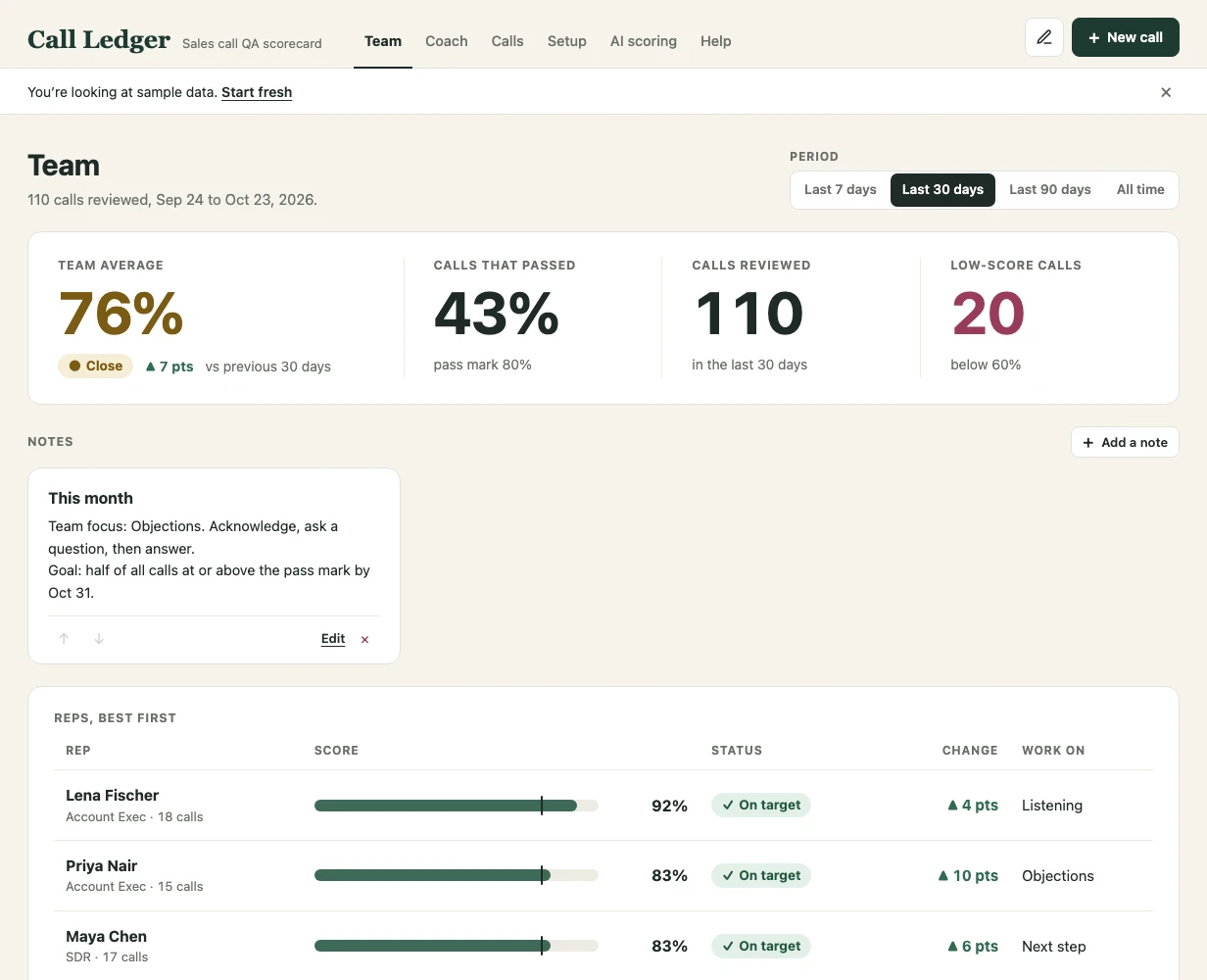
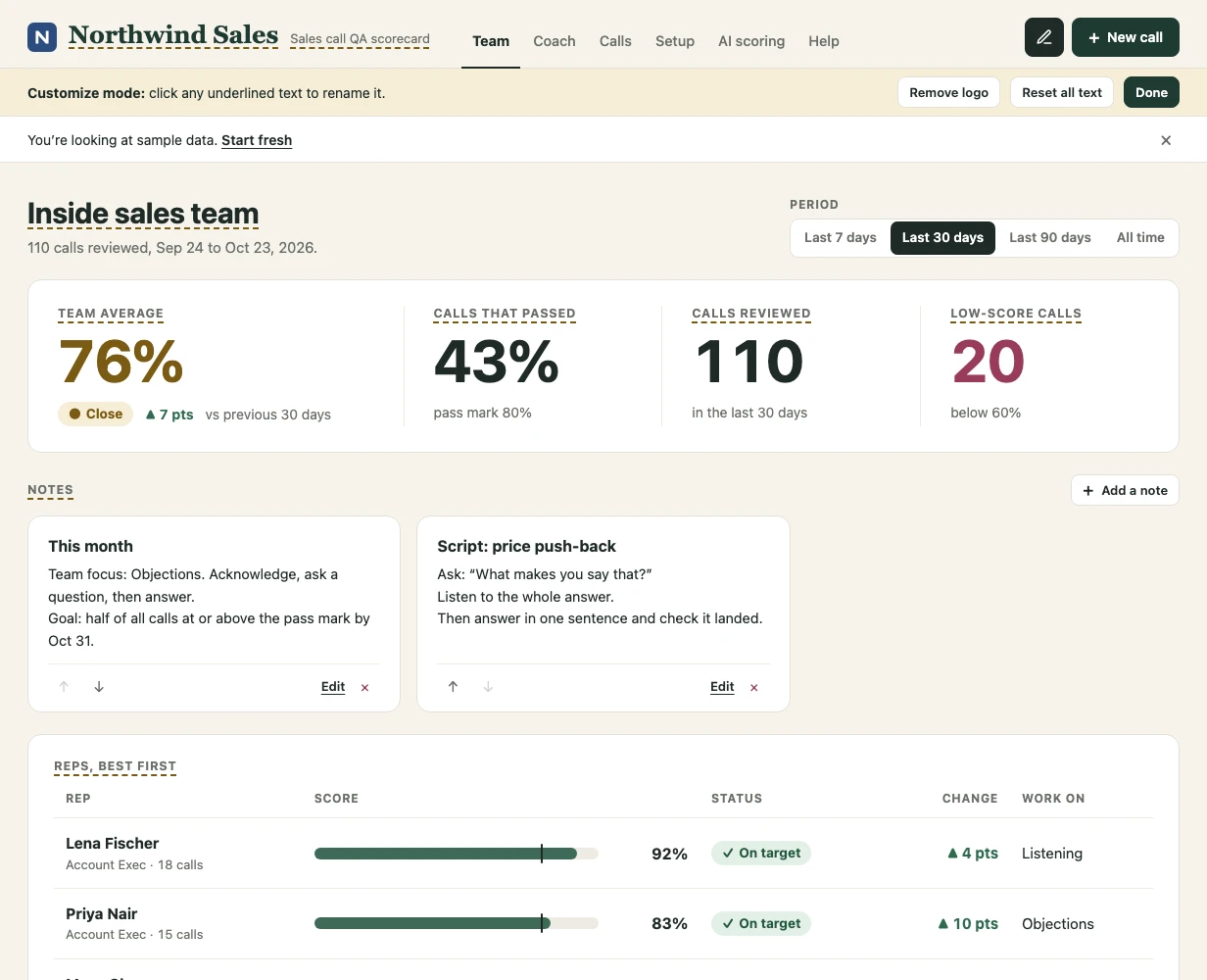
The team average, pass rate, calls reviewed and low-score calls for the last 7, 30 or 90 days, or all time. Reps are ranked best first, with each rep's status and what to work on, plus a skill heatmap and an 8-week trend.
Call Ledger is a call review app for sales managers and QA leads. It opens in your browser from a single file: no sign-up, no monthly fee, no server. Everything you enter stays on your computer.
The demo runs on made-up sample data, with nothing to install. Licenses from $59, paid once.
Tap 0, 1, 2 or N/A for each skill.
Call score Close
19 of 24 points, 8 of 8 skills scored. Pass mark 80%.
This is the sample rubric the app starts with. Skills marked ×2 count double. Yours can have up to 12 skills with your own names and weights.
Score each call against your rubric. Call Ledger turns the scores into a page for each rep and one for the whole team, so you can see what to coach next.
The team average, pass rate, calls reviewed and low-score calls for the last 7, 30 or 90 days, or all time. Reps are ranked best first, with each rep's status and what to work on, plus a skill heatmap and an 8-week trend.
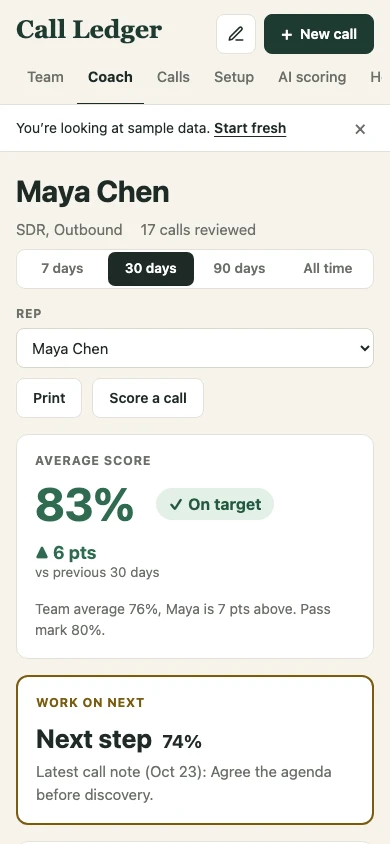
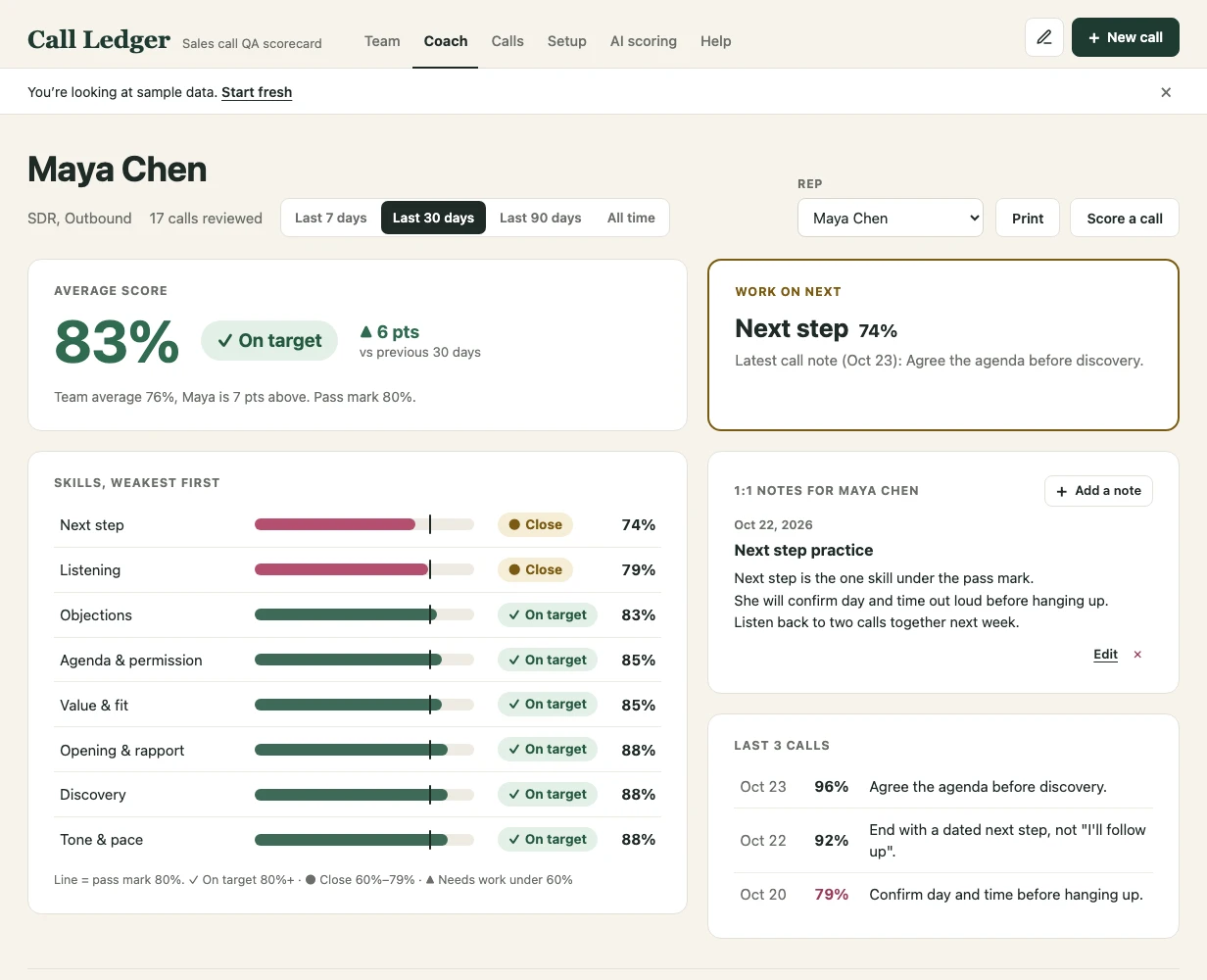
The rep's score, the change since last period, the one skill to work on next, every skill from weakest to strongest, the last 3 calls and your dated 1:1 notes. It prints on one page.
Tap 0, 1, 2 or N/A for each skill as you listen back. The score updates as you click, with an On target, Close or Needs work label. You can also tab to a skill and press 0, 1, 2 or N.
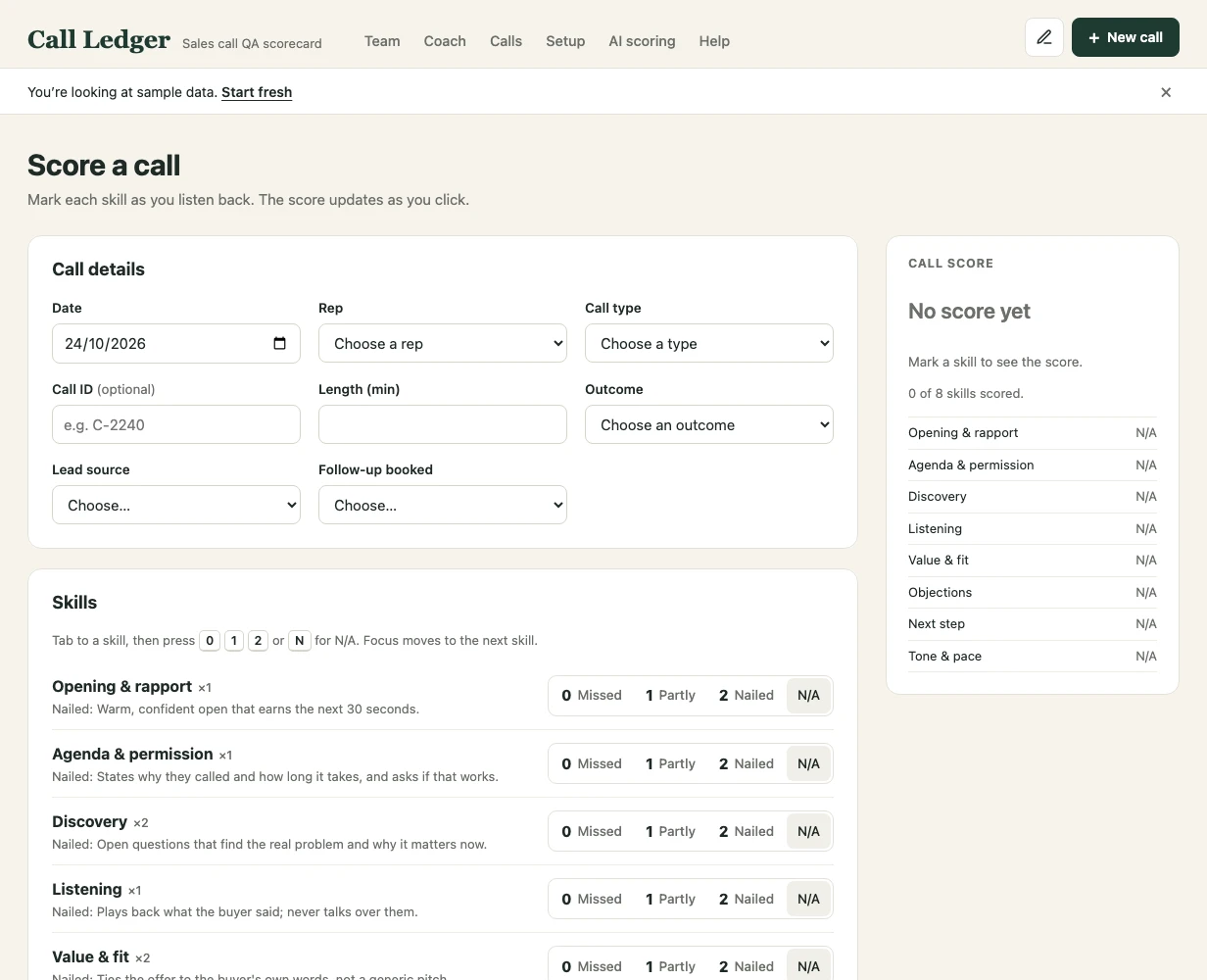
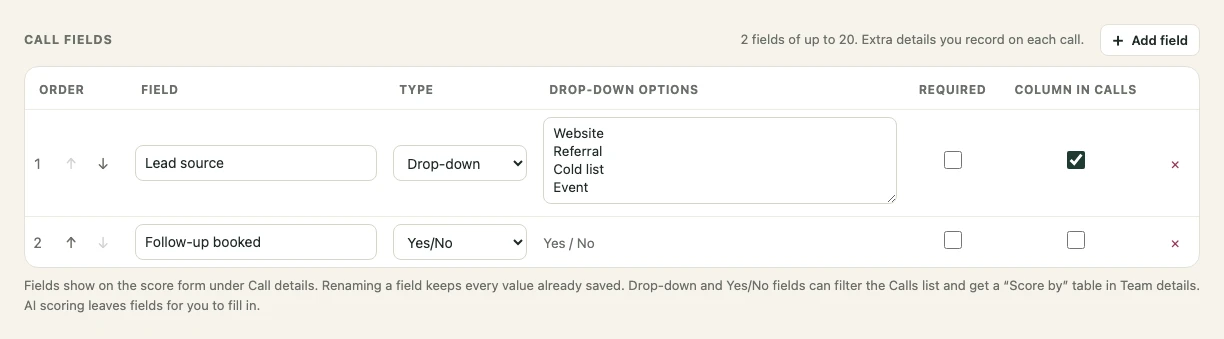
Add Lead source, Property address, Deal size or anything else, as text, number, drop-down, yes/no or date. Filter calls by them and see the score broken down by each one, such as Score by Lead source.
Rename the app to your team's name, add your logo, and rename headings and labels. In Customize mode, everything you can rename is underlined.
Everything here comes with both licenses.
After checkout you get one zip file: the app, a READ ME, a Quick Start PDF and the Call Ledger spreadsheet.
Double-click call-ledger.html. It opens in Chrome, Edge, Safari or Firefox, with no account and no internet needed. It starts on sample data: click Start fresh, then add your reps and skills in Setup.
Click New call after each review. The team and rep pages update by themselves. Export a backup from Setup now and then.
Pay once. There's no subscription, and both licenses get the same download.
For one manager reviewing their team's calls.
$59one-time
Each manager uses their own copy. Share data by exporting and importing a backup.
$149one-time
Prices are in US dollars. Any sales tax or VAT is shown at checkout. Orders are processed by our online reseller Lemon Squeezy, the merchant of record for all orders.
If Call Ledger isn't right for your team, email us within 14 days for a full refund. No questions asked. Refund policy
Need it built around your team? Custom rubrics, branding, imports from your dialer or CRM, and hosted versions with logins are available on request.
Something else? Email marcelinetera@gmail.com.
No. Download, open call-ledger.html in Chrome, Edge, Safari or Firefox, and start.
In your browser on your computer. Call Ledger has no server, so your calls and scores aren't stored anywhere else. Export a backup now and then (one click in Setup).
No. Each license is a one-time payment, with no monthly fee.
Yes. The live demo runs the app with made-up sample data.
Each manager uses their own copy; the Team license covers up to 5 managers. Share data by exporting and importing a backup.
Yes. Call Ledger imports and exports CSV files, so you can move from a spreadsheet or between computers.
Not by itself. The AI scoring helper copies a prompt built from your rubric. You paste it with the call transcript into your AI chat, paste the reply back, and the score form fills itself in for you to check.
Yes: custom rubrics, branding, imports from your dialer or CRM, and hosted versions with logins. Email marcelinetera@gmail.com.
Email marcelinetera@gmail.com within 14 days of your purchase for a full refund, no questions asked. See the refund policy.